
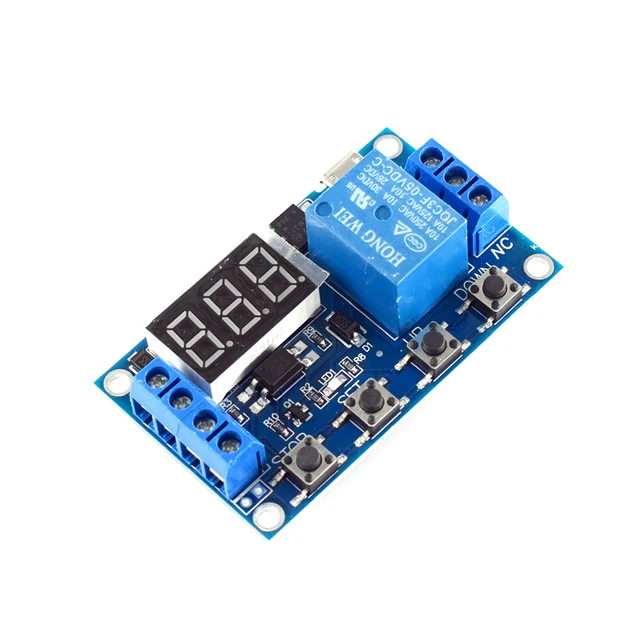
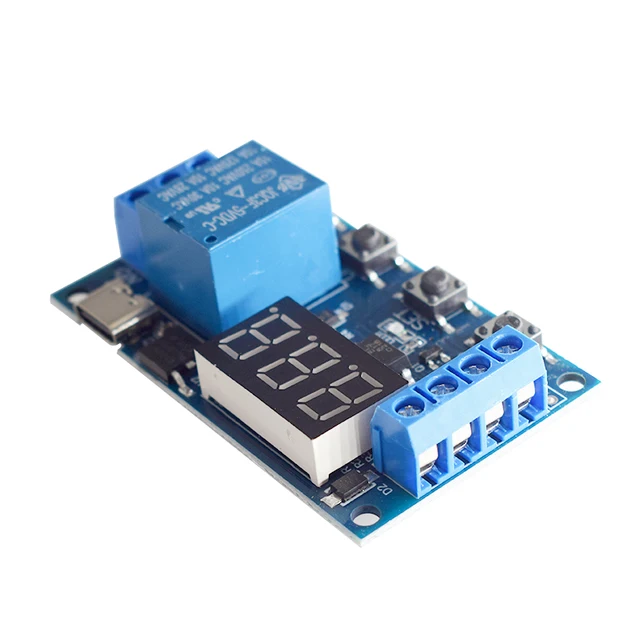
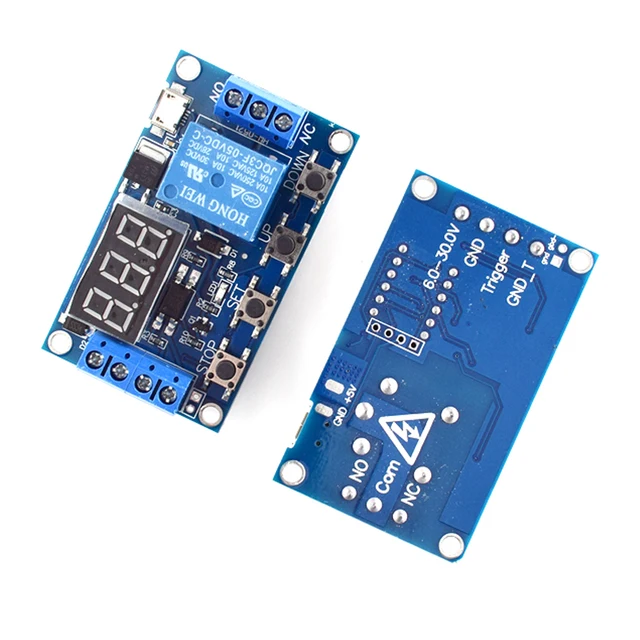
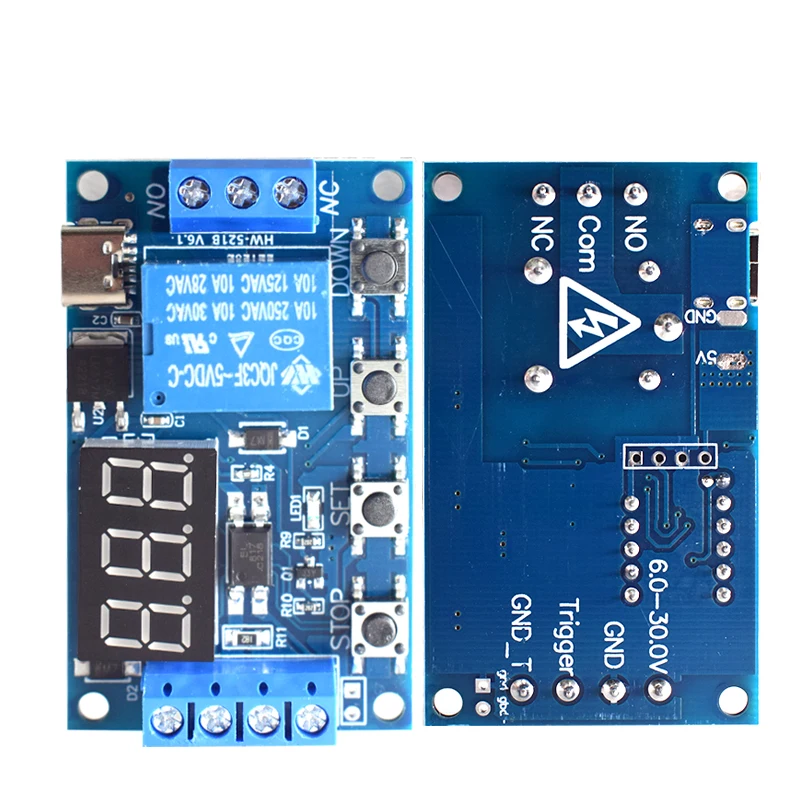
6-30V Relay Module Switch Trigger Time Delay Circuit Timer Cycle Adjustable Trigger OFF / ON Switch Timing Cycle for Arduino
$2.90
Descripción
6-30V Relay Module Switch Trigger Time Delay Circuit Timer Cycle Adjustable Trigger OFF / ON Switch Timing Cycle for Arduino


Características del producto:
1. Wide voltage power supply (6-30V) supports micro USB 5.0V power supply;
2. The interface is clear and simple, with powerful functions;
3. It has a one button emergency stop function (STOP button), with reverse connection protection, and reverse connection does not burn;
5. Different OP, CL, and LOP parameters can be set, which are independent of each other and saved separately;
6. All setting parameters will be automatically powered off and saved.
Modo de funcionamiento:
P1: After the signal is triggered, the relay conducts for OP time and then disconnects; During the OP time, perform the following operations
P1.1: La señal activada de nuevo no es válida.
P1.2: La señal se activa de nuevo y se reinicia la temporización.
P1.3: Los disparadores de señal se reinician, el relé se desconecta y la temporización se detiene;
P-2: Dar una señal de disparo, desconectar el relé después del tiempo CL, conducir el relé durante el tiempo OP y desconectar el relé después de que se complete el tiempo;
P3.1: Se aplica una señal de activación; después de que el relé se active durante el tiempo OP, se desconecta durante el tiempo CL y se repiten las acciones anteriores. Dentro del ciclo, se aplica la señal nuevamente, el relé se desconecta y el temporizador se detiene. Se puede configurar el número de ciclos (LOP).;
P3.2: Después de encenderlo, no es necesario activar una señal. El relé conduce durante el tiempo OP y se desconecta durante el tiempo CL, y las acciones anteriores se repiten; se puede configurar el número de bucles (LOP);
P-4: If there is a trigger signal, the timer will be reset and the relay will remain conductive; When the signal disappears, disconnect the relay after timing OP; During the timing period, if there is a signal again, the timing will be reset to zero;
Parámetros del producto:
1: Working voltage: 6-30V, supports micro USB 5.0V power supply
2: Trigger signal source: High level trigger (3.0V-24V) signal ground is not common with system ground to improve the anti-interference ability of the system (it can also be self short circuited to common ground)
3: Output capability: Can control devices within 30V5A DC or 220V5A AC
4: Static current: 20mA Working current: 50mA
5: Service life: over 100000 cycles; Working temperature: -40-85 ℃;
6: Equipado con aislamiento mediante optoacoplador para mejorar la capacidad antiinterferencias, placa de circuito de grado industrial, parámetros configurados para ser memorizados permanentemente después de un corte de energía.
Timing range
0,1 segundos (mínimo) ~ 999 minutos (máximo), ajustable de forma continua
Cómo elegir un intervalo de tiempo:
Tras configurar los valores de los parámetros en la interfaz de selección de modo, pulse brevemente el botón STOP para seleccionar el rango de temporización;
XXX. El punto decimal está en unidades, y el rango de tiempo es de 1 segundo a 999 segundos.
XX. El punto decimal de X está en diez posiciones, y el rango de tiempo es de 0,1 segundos a 99,9 segundos.
Punto decimal XXX completamente iluminado, rango de tiempo: de 1 minuto a 999 minutos.
Por ejemplo, si desea configurar el OP a 3,2 segundos, mueva el punto decimal a diez y la pantalla digital mostrará 03.2.
Descripción de los parámetros: tiempo de conducción OP, tiempo de desconexión CL, ciclos LOP (1-999 veces, “—” representa ciclos infinitos)
Estos parámetros son independientes entre sí, pero se comparten entre los diferentes modos. Por ejemplo, en P1.1, el tiempo de conducción OP se establece en 5 segundos. Si el usuario desea cambiar al modo P1.2, al ingresar a P1.2 para configurar los parámetros correspondientes, el OP también será de 5 segundos;
Pulse brevemente el botón SET en la interfaz principal (pantalla 000) para mostrar OP (CL, LOP) y el tiempo correspondiente XXX;
Si en el modo solo aparece la hora OP (como en los modos P1.1, P1.2 y P1.3), al pulsar brevemente la tecla SET solo se mostrará OP y la hora correspondiente;
Si hay OP, CL, LOP en el modo (como el modo P3.1, P3.2), al presionar brevemente la tecla SET se mostrarán OP y el tiempo correspondiente, CL y el tiempo correspondiente, LOP y el número de veces correspondiente;
After setting the mode, you can easily view the parameters set in the current mode by short pressing the SET key on the main interface.
How to set parameters
En primer lugar, determine el modo de funcionamiento del relé;
2. Según el modo de funcionamiento del relé, en la interfaz principal (cuando el módulo se enciende, parpadeará el modo de funcionamiento actual (modo predeterminado P1.1) y luego entrará en la interfaz principal), mantenga pulsado el botón SET durante 2 segundos y luego suéltelo para entrar en la interfaz de selección de modo. Pulse brevemente los botones ARRIBA y ABAJO para seleccionar el modo que se va a configurar (P1.1~P-4);
3. After selecting the mode to be set (e.g. P3.2), press the SET key briefly to set the corresponding parameters,
At this time, the parameters to be set will flash (OP conduction time, CL disconnection time, LOP cycle count (“—” represents infinite cycles)). The parameter values can be adjusted by UP and DOWN, and long press (quick increase or decrease) and short press (increase or decrease by 1 unit) are supported; After setting the parameter values, short press the STOP key to select the decimal point position and choose the timing range (corresponding time from 0.1 seconds to 999 minutes); Short press the SET key to set the next parameter for the current mode, the process is the same as above;
After setting the parameters of the selected mode, long press the SET button for 2 seconds and release it. The currently set mode will flash and then return to the main interface, indicating successful parameter setting;
Main interface: When the relay is not working, it displays “000” (without a decimal point), and when the relay is working, it has a decimal point;
Mode selection interface: Press and hold the SET key to enter. After setting is complete, press and hold the SET key to exit and return to the main interface;
STOP button function extension:
Modo de habilitación de relé:
1. ENCENDIDO: Se permite que el relé conduzca durante el tiempo de conducción OP;
2. APAGADO: El relé tiene prohibido conducir y permanece en estado cerrado;
Pulsa brevemente el botón STOP en la interfaz principal para alternar entre encendido y apagado. El estado actual parpadeará y luego volverá a la interfaz principal. (Esta función es una función de parada de emergencia, un relé que se puede abrir y cerrar con un solo clic).


Personalización de productos
Ofrecemos servicios de personalización de productos. Contáctanos para hablar de sus necesidades.
Información adicional
| Peso | N/D |
|---|
Recursos para creadores y productos
Consulta la descripción del producto para conocer las especificaciones, los artículos incluidos y los detalles sobre la disponibilidad y el envío.
Productos relacionados
-
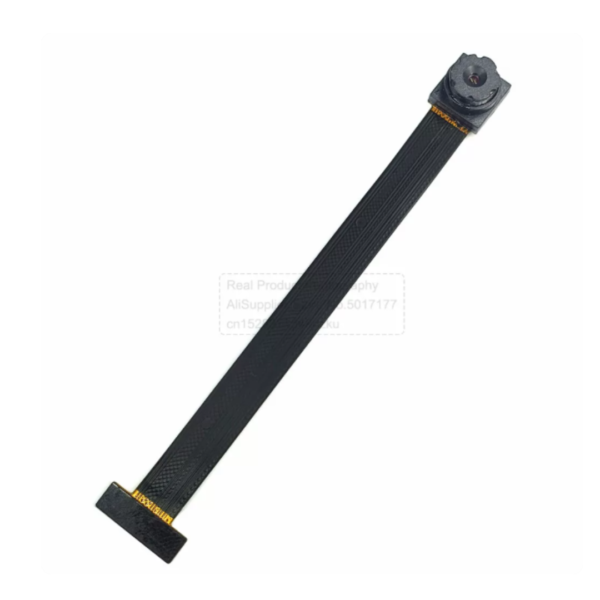
Módulo de cámara OV3660: 3 MP, lente ajustable, campo de visión de 66°/160°, 80 mm de longitud
Rango de precios: desde $6.90 hasta $8.20Seleccionar opciones Este producto tiene múltiples variantes. Las opciones se pueden elegir en la página de producto -
-
-
Valoraciones
No hay valoraciones aún.