
PTH vs. NPTH: Specify PCB Holes Without Guesswork
Understand plated and non-plated PCB holes, document finished sizes, and prevent mounting or connector holes from being misinterpreted.
Read guideFROM DESIGN FILES TO FINISHED PARTS
Prepare your files, understand your options and plan your next build. Clear guidance for PCBs, assembly and mechanical manufacturing.
THE GUIDE LIBRARY
37 guides in PCB & assembly
Page 4 of 5Have a part ready for review?
Explore PCB & assembly services →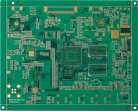
Understand plated and non-plated PCB holes, document finished sizes, and prevent mounting or connector holes from being misinterpreted.
Read guide →
Diagnose an incorrect PCB size in a Gerber preview. Check units, stray outline geometry, panel dimensions and the final export before ordering.
Read guide →
Use clear release packages and change notes to keep quotations, assembly files and test results tied to the same board revision.
Read guide →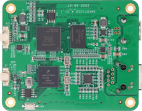
Check part identity, pin numbers, land patterns and mechanical access before committing a board to fabrication.
Read guide →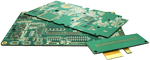
Build a useful current-path specification instead of choosing copper weight from a single rule of thumb.
Read guide →
Compare the practical questions behind surface-finish selection, from pad flatness to contact requirements and purchasing notes.
Read guide →
Learn what mask openings and paste apertures represent, and how to review them before ordering boards and stencils.
Read guide →
Keep your board files, component list and placement data aligned so your assembly request is easier to review.
Read guide →
Look beyond routing space: consider return paths, component density and the stackup before choosing a layer count.
Read guide →WHEN YOU ARE READY
Choose a service, share your files and confirm the requirements for your project.